These are the main ways to speak to one or two exec members at a time in private chats.
Use Cases
- Messaging between co’s
- Mentors and Campus Outreach messaging
- A three person group chat
- Etc
Navigating A DM Page
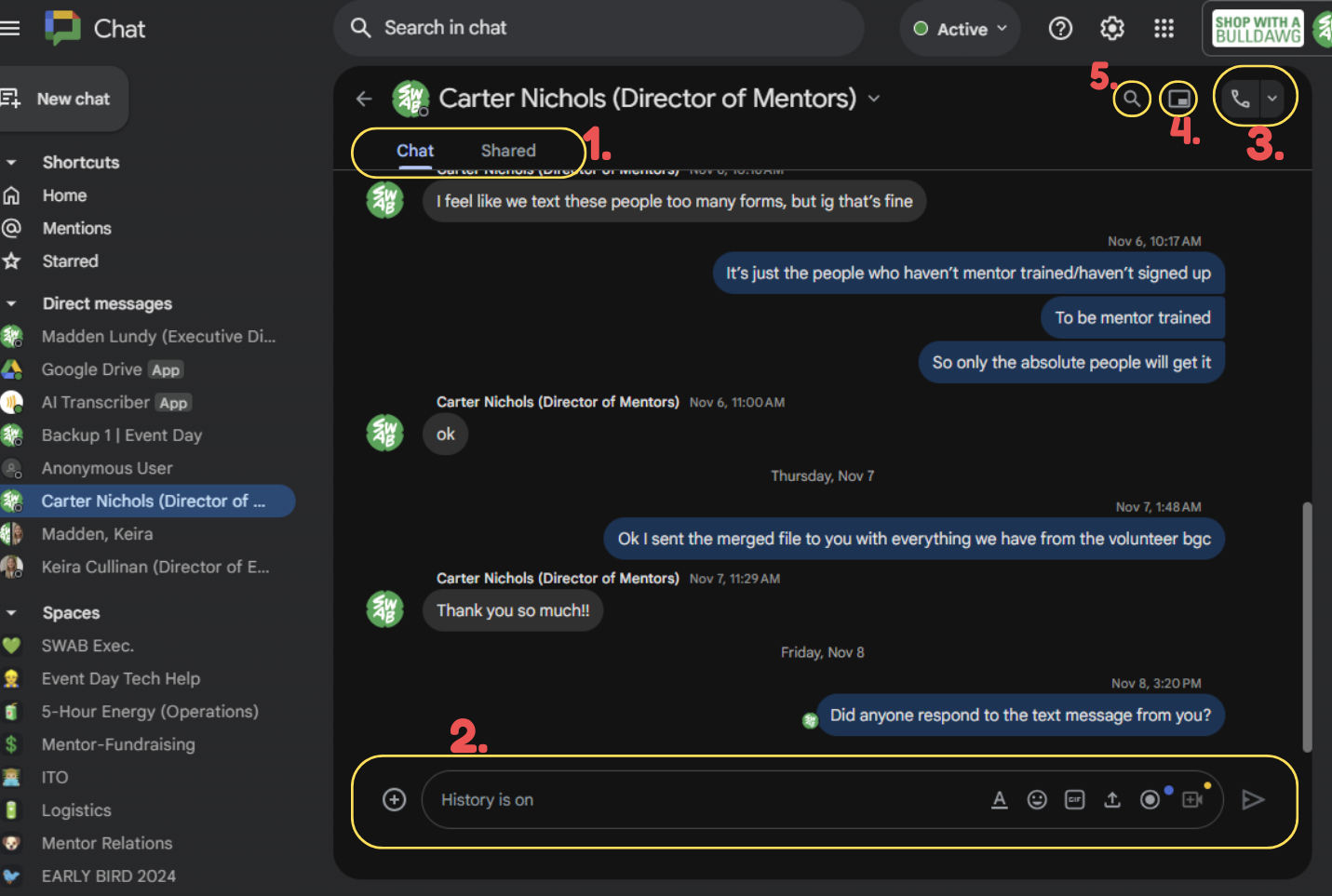 FOLLOW THE NUMBERS FROM ABOVE ⬆️
- Chat & Shared
- Chat allows you to see the message history with the person(s) in the DM
- Shared allows you to just see the files that have been sent and shared by users
- Chat Keyboard
- This is how users send messages, files, recordings, and more!
- Meet Link
- Click the arrow to see “Send a Meet Link” which can be used for quick Google Meets
- Exit Full Screen
- Clicking this allows you to collapse your personal chat so you can navigate chat and still see the last few messages of your chat
- Chat Search